
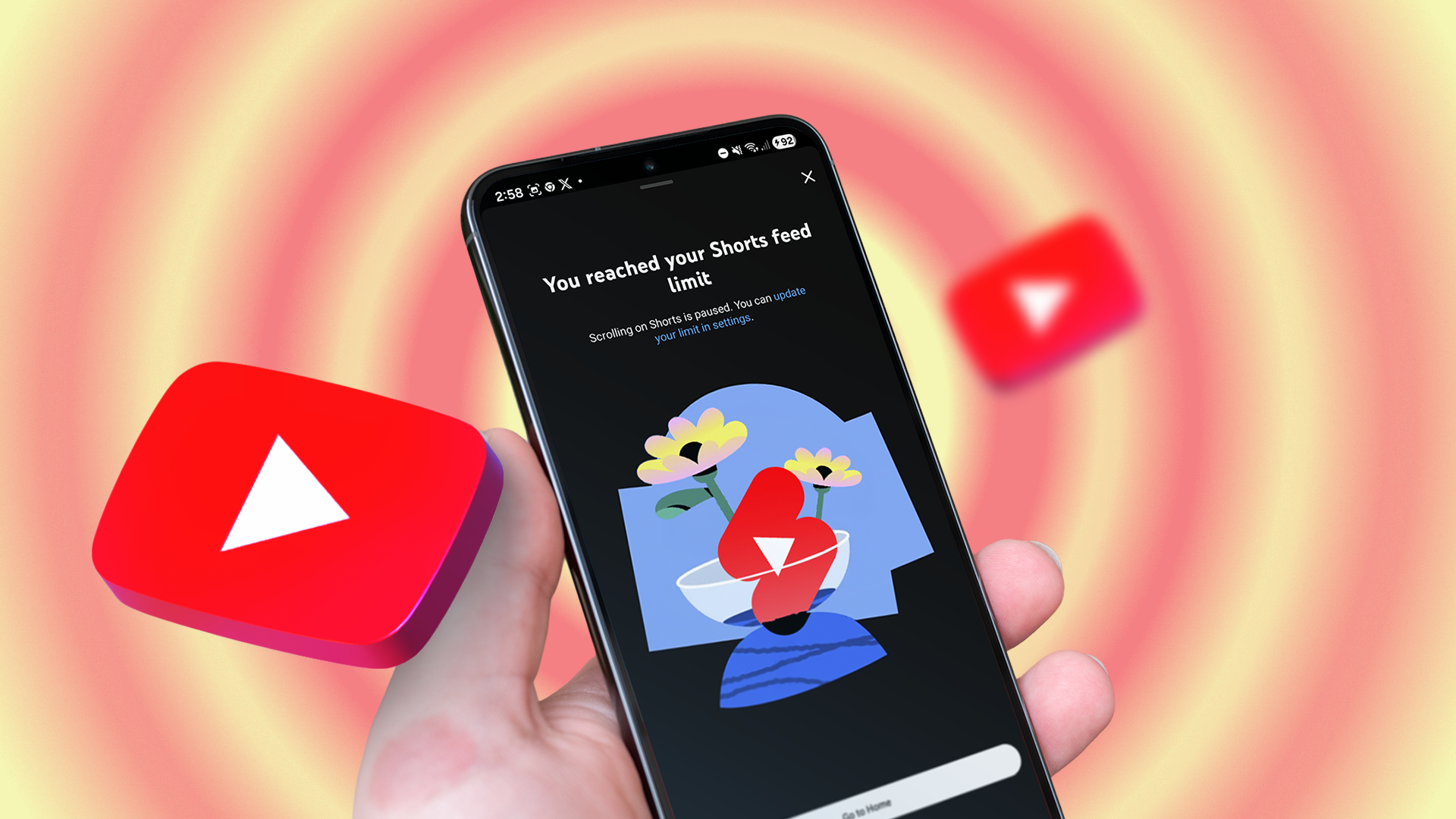
We’ve all been there. You open YouTube with a singular, innocent mission: to check a 30-second tutorial on how to fix a leaky faucet, watch a specific product review, or catch up on the latest episode of your favorite tech podcast. You tell yourself, "In and out, five minutes tops."
Fast forward 45 hours (or so it feels), and you are knee-deep in a rabbit hole watching obscure 2011 conspiracy documentaries, architectural tours of brutalist mansions in Iceland, and compilation videos of cats knocking things off tables. Your original task? Completely forgotten. Your free time? Vaporized by the infinite scroll.
Doomscrolling on social media gets a lot of press, but YouTube's recommendation algorithm is arguably the most sophisticated attention-trapping machine ever devised. It knows what you like, it knows what you'll click when you're tired, and it is ruthlessly efficient at keeping your eyeballs glued to the glass.
Fortunately, as I recently discovered after hitting rock bottom on a Tuesday night, there is a hidden setting tucked away in the app’s menu that completely changed my relationship with the platform. It didn't just curb my mindless browsing; it essentially cured my YouTube doomscrolling for good.
The Anatomy of the YouTube Rabbit Hole
To understand why this setting is so revolutionary, we first need to understand the enemy. Unlike TikTok or Instagram Reels, which rely on a continuous vertical feed of short-form content, YouTube operates on a hybrid model of long-form videos, Shorts, and a heavily personalized homepage feed.
When you open YouTube, the homepage isn't just a list of your subscriptions. It is a dynamic, psychologically optimized buffet designed to exploit your current emotional state. Are you stressed? Here are comforting nostalgic videos. Are you procrastinating? Here is a deeply interesting three-hour video essay on the history of corporate logos.
The system is fueled by powerful recommendation algorithms designed to maximize session duration. Every time you finish a video, an autoplay feature queues up the next dopamine hit. Before you know it, you’ve fallen victim to dark patterns of interface design that prioritize platform engagement over your personal well-being.
I tried willpower. I tried setting app timers on my phone. But much like putting a bowl of Halloween candy in front of you and telling yourself not to eat it, relying solely on self-control against trillion-dollar tech engineering is a losing battle.
The Magic Bullet: The "Remind Me to Take a Break" and Homepage Fixes
While YouTube has rolled out various digital wellbeing tools over the years, users often overlook the combination of settings that truly neuter the doomscrolling experience. The most powerful one acts as a digital speed bump, while another completely alters what greets you upon opening the app.
Here is the exact two-step setup I used to reclaim my time:
- Step 1: The Nuclear Option for the Homepage. Clearing and pausing your watch history.
- Step 2: The Interrupter. Activating aggressive break reminders.
Let's break down how to implement these game-changing tweaks.
Taming the Homepage Feed
The root of YouTube doomscrolling is the homepage. When you open the app, it screams for your attention. By going into your account settings, you can actually hide the recommended feed entirely if you use the platform wisely, but a more balanced approach is managing your watch history.
If YouTube doesn't know what you've watched recently, it can't accurately predict what will suck you in next. Furthermore, you can turn off your watch history temporarily or permanently. When your history is paused, your homepage becomes a blank, unpersonalized wasteland—which is actually a good thing. Without tailored bait, you have no reason to stay on the home screen.
Setting the Ultimate Break Reminder
The specific feature that stopped my endless scrolling, however, is the "Remind me to take a break" setting. Most people stumble across this feature, set it for two hours, and forget it exists. That’s useless. To stop doomscrolling, you need to weaponize this feature.
Here is how to find and configure it on your mobile device or desktop:
- Open the YouTube app and tap your Profile Icon in the bottom right corner.
- Tap the Gear Icon (Settings) in the top right.
- Select General at the very top.
- Look for the toggle that says "Remind me to take a break" and turn it on.
- Set the frequency to a much shorter interval—I recommend 15 or 30 minutes.
When this feature triggers, a gentle pop-up pauses your video and asks if you'd like to take a break. Crucially, it breaks the hypnotic trance of the autoplay cycle. It forces a micro-moment of conscious decision-making: Do I actually want to keep watching this, or was I just zoning out?
Additional Pro-Tips to Bulletproof Your YouTube Experience
Combining the break reminder with a few other interface adjustments can turn YouTube from a time-sink back into a utility tool. If you want to completely bulletproof your digital habits, consider implementing these extra steps:
- Disable Autoplay: Turn off the autoplay switch on the side of video player interfaces. This ensures that when a video ends, it genuinely ends, requiring you to manually choose the next step.
- Hide YouTube Shorts: Shorts are the ultimate doomscrolling vector. While YouTube doesn't offer a direct "off" switch for Shorts on the main feed, you can click the "X" on shelf recommendations to hide them, or use third-party browser extensions on desktop to strip them out completely.
- Use RSS Readers for Subscriptions: If you only care about specific creators, unsubscribe from the notification clutter and use an RSS-style workflow or the "Subscriptions" tab directly—never rely on the home feed.
Life After Doomscrolling: What I Gained Back
The results of making these simple tweaks were immediate and startling. Within the first week, my daily YouTube screen time dropped by over 70%.
I stopped treating YouTube as a default entertainment destination when I was bored. Instead, the friction introduced by these settings forced me to use the platform with intentionality. If I want to watch a video, I search for it, watch it, and close the app. The endless buffet of algorithmic distractions is gone.
We live in an attention economy where the most valuable commodity we possess is our focus. Tech companies spend billions engineering apps to steal that focus away. By reclaiming control over just one hidden setting, you can flip the script and make technology work for you again, rather than the other way around.
Take two minutes right now, open your YouTube settings, drop that break timer down to 15 minutes, and watch how quickly your digital peace of mind returns.


No comments:
Post a Comment