
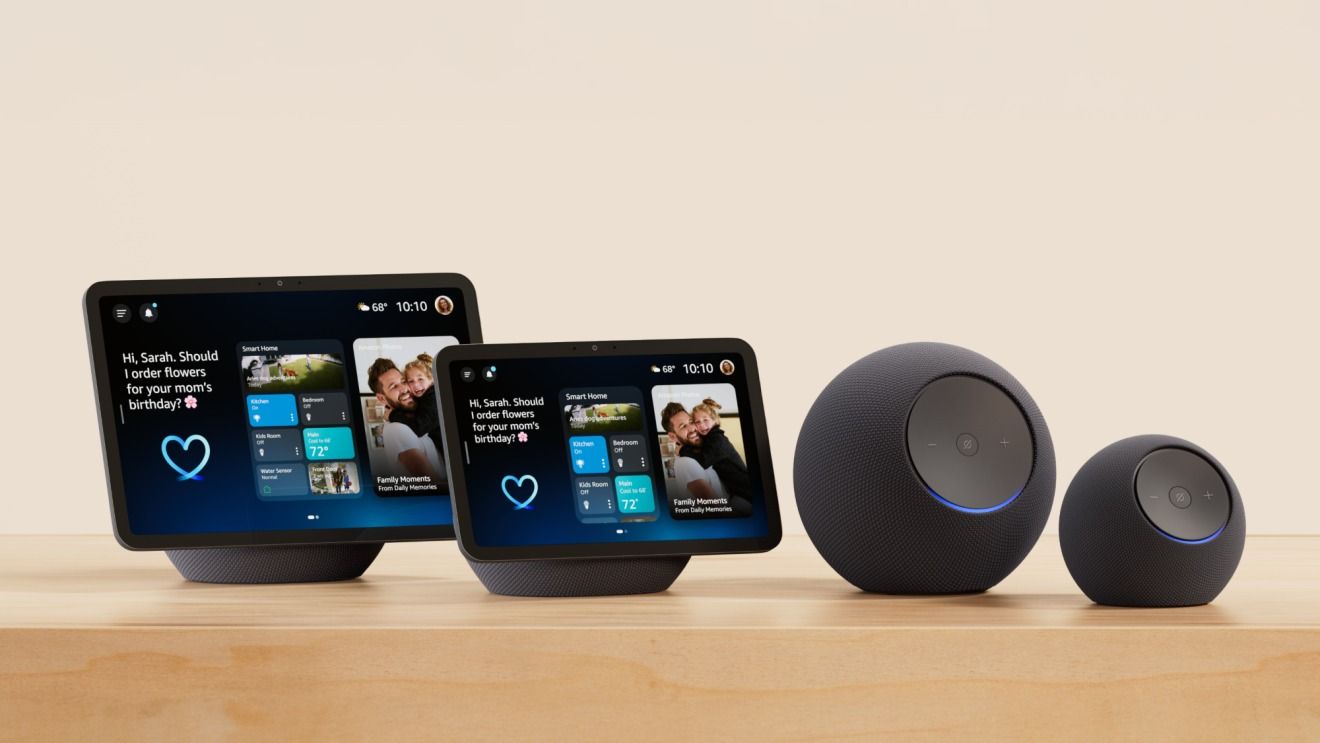
We’ve all been there. You walk into a room, say a wake word, and watch in frustration as the smart speaker across the hall responds while the one right in front of you sits in deafening silence. Or perhaps you've accumulated a collection of Amazon Echo devices over the years—picked up during holiday sales, received as gifts, or impulse-bought—only to find them operating as a disjointed chorus of conflicting timers and mismatched music.
A few years ago, I was too naive to believe that the tech hype trap was real. That led to a lot of wasteful spending, as I bought plenty of unnecessary tech items that are now collecting dust. Among those purchases was an overzealous collection of Echo devices scattered haphazardly around my home. Instead of feeling like a futuristic smart home, my living space felt like a chaotic automated obstacle course.
Fortunately, you don’t need to throw your hardware into a drawer and give up on ambient computing. With just a few strategic, simple tweaks inside the Alexa app, you can transform those scattered speakers into a synchronized, highly efficient, unified home audio and automation system. Let’s dive into four game-changing adjustments that will make your Amazon Echo ecosystem actually work for you.
1. Master the Magic of Multi-Room Music Groups
One of the most jarring experiences in a multi-speaker household is playing a song and hearing it bounce awkwardly as you walk down the hallway. If you have an Echo in the kitchen and another in the living room, they should act as a single acoustic environment.
Creating a Multi-Room Music Group is the single most impactful tweak you can make. It binds your individual speakers into cohesive audio zones.
- Open the Alexa app on your mobile device.
- Navigate to the Devices tab at the bottom of the screen.
- Tap the + icon in the top right corner and select Combine Speakers.
- Choose Multi-Room Music.
- Select the Echo devices you want to group together and give the group a recognizable name (like "Downstairs," "Upstairs," or "Entire House").
Once configured, you can simply say, "Alexa, play jazz on the Entire House," and experience seamless, whole-home audio without the lag. Pro tip: If you have varying speaker sizes, you can go into the group settings in the Alexa app to tweak the audio profile (bass and treble) so your smaller Echo Dot doesn't get completely drowned out by an Echo Studio.
2. Tame the Echo Chamber with Spatial Audio Perception
Have you ever noticed multiple Echo devices lighting up when you issue a single command? This phenomenon—often called "Echo confusion"—happens when your smart home speakers can't figure out which one is closest to you.
Amazon utilizes a backend feature called Spatial Perception, which uses ultrasonic audio cues to determine which device heard your voice most clearly. However, sometimes it needs a little help, especially in open-concept floor plans.
- Check your device naming conventions. Instead of naming devices "Living Room Echo 1" and "Living Room Echo 2," assign them distinct, location-based names like "Kitchen Counter," "Living Room Couch," or "Office Desk."
- Adjust the Wake Word on closely situated devices. If you have an Echo Show in the kitchen and an Echo Dot in the adjacent dining area, consider changing one of them to "Computer" or "Amazon" instead of the default "Alexa." This eliminates cross-talk entirely.
By giving your hardware clear boundaries and distinct identities, you eliminate the frustrating delay of two speakers trying to answer your query simultaneously.
3. Leverage Drop In and Announcements for Internal Intercoms
Shouting across the house to tell everyone dinner is ready is a relic of the past. Yet, many users treat their Echo devices as isolated islands, completely ignoring the built-in communication features that turn scattered speakers into an enterprise-grade home intercom system.
The Announcements feature allows you to broadcast a voice message to every Echo device in the house simultaneously, while Drop In lets you open a direct, two-way audio channel with a specific room.
- To make a broadcast, simply say, "Alexa, announce that dinner is ready." Your voice will be broadcasted verbatim across all connected speakers.
- To use Drop In, say, "Alexa, drop in on the Basement." This is exceptionally useful for checking in on kids upstairs or talking to a family member in a home office without needing them to physically pick up a phone or answer a call.
To keep your home private and secure, make sure you configure your communication permissions in the Alexa app under Settings > Communication, ensuring only authorized household members or specific contacts can utilize the Drop In feature.
4. Optimize Routines for Unified Contextual Awareness
The final step in unifying your Echo ecosystem is moving away from manual commands and leaning into proactive Routines. A scattered system becomes a unified one when individual devices start reacting to the same environmental triggers.
Instead of telling individual speakers to turn off lights or adjust smart plugs room by room, build centralized routines that control zones.
- Open the Alexa app, tap More, and select Routines.
- Create a "Good Morning" routine triggered by your alarm or a specific time. Set it to not only read the weather on your bedside Echo, but also to turn on the kitchen coffee maker and start playing your morning briefing softly on the bathroom speaker.
- Create a "Good Night" routine that mutes all notifications across your devices, turns off all smart lights, and plays ambient sleep sounds on a designated bedroom Echo.
By tying disparate devices into unified automation logic, your smart home stops feeling like a collection of gadgets and starts feeling like an actual living, breathing ecosystem.
Stop the Tech Hype Trap, Start Optimizing
It’s easy to fall victim to the trap of buying more hardware to solve a smart home problem when, in reality, optimization is all you need. By organizing your speakers into multi-room audio groups, fine-tuning spatial perception, utilizing internal communication tools, and building contextual routines, you can rescue those dusty gadgets from the back of the closet.
Take 15 minutes today to open your Alexa app, apply these four tweaks, and watch your scattered Amazon Echo devices finally work together in harmony.


No comments:
Post a Comment