
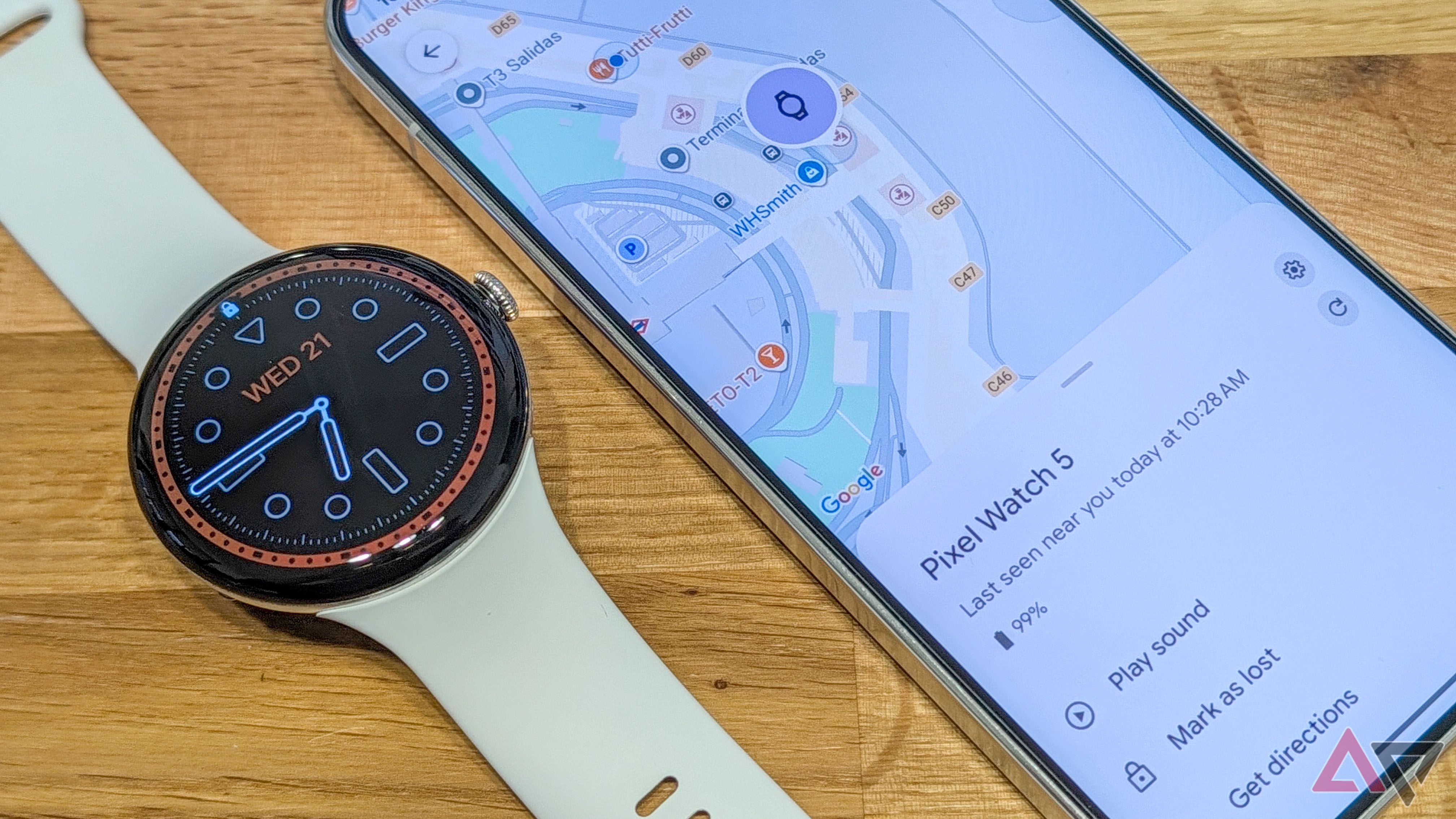
How I Lost My Pixel Watch at Airport Security (And Got It Back Fast)
Airports are very busy places. We run to our gates. We pull out our laptops. We take off our jackets and watches for security checks. It is very easy to lose things in the rush.
Not long ago, I lost my smartwatch at airport security. My heart dropped. These watches cost a lot of money, and losing one feels terrible. But I got it back very quickly. How? I used one simple setting that I turned on the day I bought it.
If you wear a smartwatch, you need to know about this setting right now. Let me share my story and show you how to protect your watch before you take your next trip.
The Panic at the Security Check
Picture this scene. I am standing in the security line at a busy airport. I put my phone, keys, and Pixel Watch into a plastic bin. The bins move through the X-ray machine very fast.
I grab my things on the other side. I put on my shoes and jacket. I rush to my boarding gate because time is short. When I sit down at the gate, I look at my wrist. My watch is gone.
Panic sets in. Did I leave it in the plastic bin? Did someone else take it? Did it fall on the dirty airport floor? Going back through security is very hard once you pass it. You cannot just walk back in reverse.
Luckily, I did not panic for long. I pulled out my phone, opened an app, and found my watch in just a few minutes. Here is how I did it.
The Magic Setting That Saved the Day
Before this happened, I set up a tracking network on my phone. Both Apple and Google have systems that help you find lost items. For Android users, Google has the Find My Device network.
Many people think this network only works for phones. But it also works for modern smartwatches, headphones, and small Bluetooth trackers (like Pebblebee or Tile tags).
When you turn on this setting, your device talks to other Android devices nearby in a safe and private way. If your watch is lost, another phone walking past it will quietly tell Google where your watch is. You do not need to be close to your watch for this to work.
How to Turn on Find My Device on Your Android Phone
If you have not turned on this feature yet, please do it right now. It takes less than one minute. Just follow these easy steps:
- Open the Settings app on your Android phone.
- Scroll down and tap on Google (or Google Services).
- Tap on the All Services tab (if you see it) and select Find My Device.
- Make sure the main switch is turned On.
- Tap on Find your offline devices.
- Select the option that says With network in all areas. This is the most important step! It lets other people's phones help you find your lost items, even when your watch has no internet connection.
Once you turn on this setting, your phone and watch are part of a massive safety net.
What I Did Next to Recover My Watch
Back at the airport gate, I opened the Find My Device app on my phone. A map loaded up on my screen.
I saw a small dot showing the exact location of my Pixel Watch. It was not moving. It was still sitting near the security checkpoint area, likely left behind in a plastic bin or on a nearby table.
I had two great choices in the app:
- Play Sound: If the watch is close by, you can make it ring loudly. This helps you find it if it is hiding under a seat or in a bag.
- Mark as Lost: This locks your watch so no one else can use it. It also lets you put a phone number on the screen so a kind stranger can call you if they find it.
Because my watch was stuck back in the secure security zone, I showed the map to an airport worker. I explained that my watch was sitting right there on table number four. Because I could show them the exact spot on my phone screen, they understood right away.
An airport security officer went back to check. A few minutes later, he came back with my watch in his hand. I was so happy!
More Tips to Keep Your Tech Safe When Traveling
Losing my watch taught me a good lesson. Airports are tricky places for gadgets. Here are a few simple rules I now follow every time I travel:
- Use a tray wisely: Do not just throw loose items into the plastic bin. Put your watch, rings, and wallet inside your backpack or jacket pocket before you put them in the bin. This stops things from falling out or getting left behind.
- Check your wrists: Make a habit of checking your wrists and pockets every single time you step away from an airport security table.
- Keep tracking apps ready: Make sure you know how to open your phone's tracking app before you leave your house. Do not wait until you lose something to try and figure out the app.
Final Thoughts
Technology can cause us headaches sometimes, but it can also save the day. Losing an expensive smartwatch at a busy airport is scary, but having the right tracking setup makes all the difference.
Take two minutes right now to check your Android phone settings. Turn on the Find My Device network. It costs nothing, it takes very little battery life, and it might just save your favorite gadgets one day when you are far from home.


No comments:
Post a Comment