
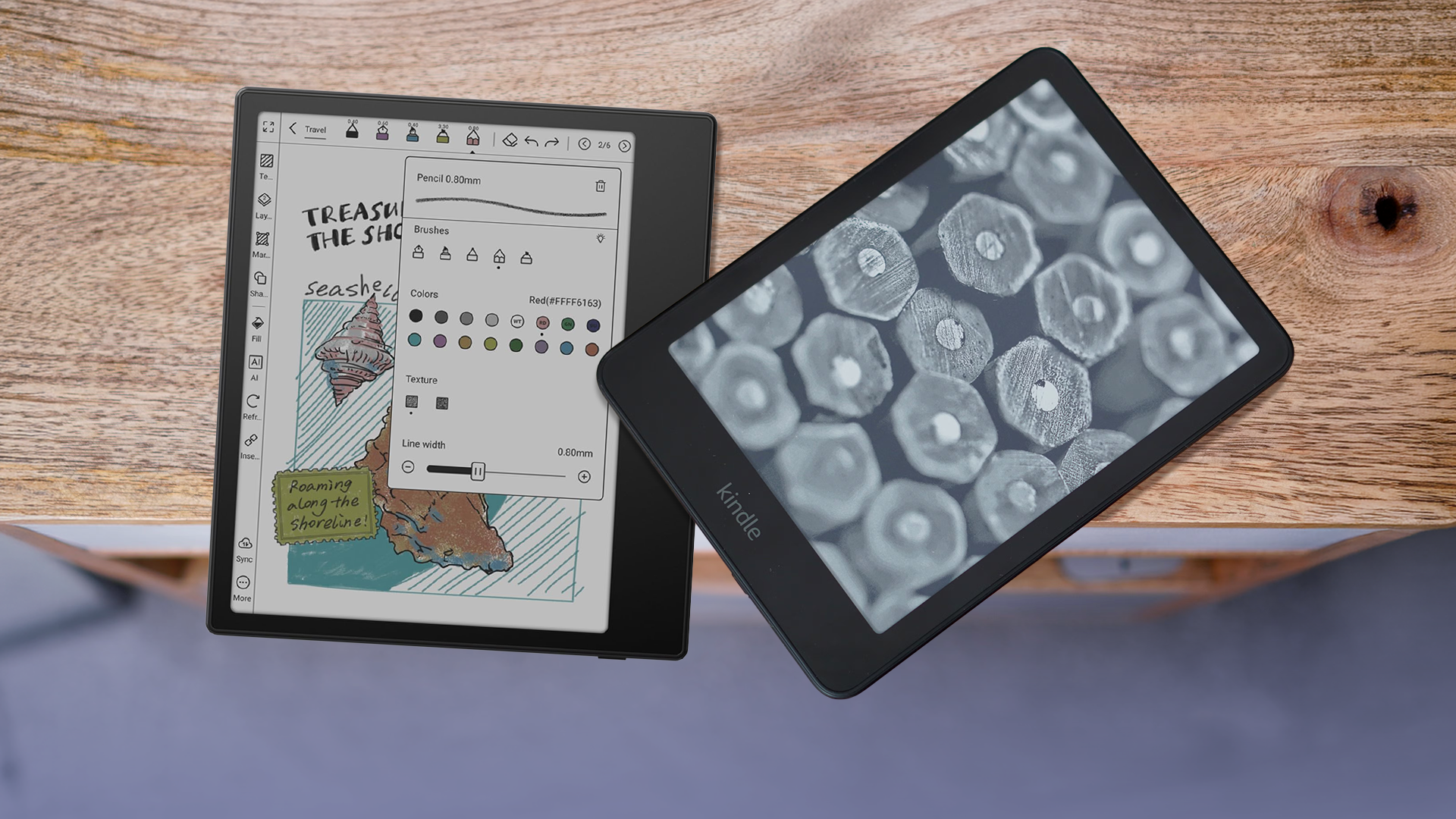
Android E-Readers Sound Perfect on Paper, But They Can't Replace My Kindle
When you set out to buy a dedicated device for reading digital books, the market traditionally offers two distinct paths. On one side, you have the walled gardens of dedicated e-readers like the Amazon Kindle or Kobo, built solely for reading with distraction-free interfaces and astonishing battery life. On the other side, you have multipurpose devices—smartphones and tablets with glowing, high-refresh-rate LCD or OLED screens that do everything under the sun.
Enter the compromise: Android e-readers. Brands like Boox, Boyue, and even bigger players have tried to bridge this gap by slapping a full-fledged Google-powered Android operating system onto an E Ink display. On paper, it sounds like the ultimate tech enthusiast's dream. You get the eye-friendly, paper-like reading experience of electronic ink combined with the infinite flexibility of the Google Play Store. You can download the Kindle app, the Kobo app, Libby, audiobooks via Audible, and even check your work emails—all on a screen that won't strain your eyes.
So, why did my expensive, feature-packed Android e-reader end up collecting dust in a drawer while my trusty, locked-down Kindle remains glued to my nightstand? Let’s dive deep into why Android e-readers sound like a match made in heaven, but ultimately fail to replace the humble Kindle in daily life.
The Allure of the Android E-Reader: Infinite Potential
To understand the appeal, you have to look at the frustration of traditional e-readers. If you buy a Kindle, you are largely locked into Amazon’s ecosystem. Sure, you can sideload books, but the experience is clunky. If you prefer buying your books on Google Play Books, or you want to read articles saved to Pocket, or you need access to your local library’s entire digital catalog via the Libby app without jumping through conversion hoops, a standard Kindle makes you feel trapped.
Android e-readers promise to shatter these walls. By running a modified version of Android on E Ink hardware, these devices offer:
- Universal App Access: The ability to download literally any reading app from the Google Play Store.
- True Ecosystem Freedom: Read from Kindle, Kobo, Nook, and Google Play Books all on a single device.
- Productivity Tools: Access to note-taking apps, web browsers, and email clients right on your e-paper screen.
- Advanced Customization: Customizable refresh rates, split-screen multitasking, and deep system-level tweaks.
It sounds utopian. But in the tech world, absolute freedom often comes at the heavy cost of user experience. And nowhere is that truer than when you combine Android’s resource-heavy operating system with the sluggish, deliberate nature of electronic ink.
The Reality Check: Where Android E-Readers Fall Short
After weeks of real-world testing, the cracks in the Android e-reader facade begin to show. While the hardware specs might look impressive on a retail listing, the actual day-to-day usage reveals fundamental flaws that standard e-readers simply don't suffer from.
1. E Ink Was Never Built for Android
Electronic paper technology is fundamentally different from traditional LCD or OLED screens. Instead of emitting light through pixels refreshing dozens of times a second, E Ink works by shifting physical microcapsules of pigment using electrical charges. It is brilliant for static text, but it struggles mightily with animations, scrolling, and dynamic user interfaces.
Android, on the other hand, is a UI designed for fluid, colorful, high-refresh-rate displays. When you force Android to run on an E Ink screen, animations ghost, menus stutter, and you are constantly forced to manually trigger "screen refresh" buttons to clear out ghosting artifacts left behind by previous apps. It turns a seamless digital experience into a jarring, stuttering chore.
2. The Battery Life Compromise
One of the greatest selling points of a traditional e-reader is its battery life. You can charge a Kindle once a month, toss it in your bag, and completely forget about where you left the power cable. Because E Ink only consumes power when the image on the screen changes, reading a static page draws virtually zero electricity.
Android e-readers ruin this magic. Operating systems like Android have hundreds of background processes, push notifications, and services running constantly. Even when you aren't actively using the device, background apps will slowly drain the battery. Instead of lasting weeks, most Android e-readers need to be charged every few days—slipping dangerously close to the territory of standard tablets.
3. The Paradox of Choice and Digital Distraction
Why do we read books? For many of us, reading is an escape—an analog sanctuary away from the relentless onslaught of push notifications, emails, social media feeds, and breaking news alerts.
When you hold a Kindle, you are holding a dedicated portal to literature. There are no notifications popping up to tell you that someone replied to your tweet. There is no temptation to check your work inbox. But the moment you boot up an Android e-reader with full app access, that sanctuary is compromised. Suddenly, your reading device has Slack installed. It has a web browser where you can fall down a Wikipedia rabbit hole. By trying to turn your e-reader into a tablet, you inherit all the digital distractions that you bought an e-reader to escape in the first place.
4. Clunky Third-Party Apps on E Ink
Sure, the Google Play Store has millions of apps, but almost none of them are optimized for E Ink displays. Reading apps like the Kindle app or Libby are designed to render smoothly on vibrant smartphone screens with colorful themes, smooth transitions, and instant touch feedback.
When deployed on an E Ink panel, these apps often feature unreadable grey-on-grey text menus, broken touch targets, and interface elements that simply don't translate well to black-and-white, low-refresh screens. Manufacturers try to fix this with custom software layers and refresh-rate toggles (like Boox's "NeoReader" modes), but it always feels like putting a square peg in a round hole.
Why the Kindle Keeps Winning
The secret to the Kindle's enduring dominance isn't that Amazon builds superior hardware—though their build quality and screen clarity are top-tier. The secret is intentional limitation.
Amazon understands that a dedicated reading device should do one thing, and it should do that one thing exceptionally well. The Kindle interface is stripped down to the absolute essentials. The page turns are fast and predictable. The typography settings are robust without being overwhelming. The device wakes up instantly, opens your book right where you left off, and gets entirely out of your way.
There is immense psychological value in a single-purpose device. When you pick up a Kindle, your brain immediately recognizes it as a book. There is no cognitive load, no settings menu to tinker with, and no software updates breaking your workflow. It simply works.
The Verdict: Who Are Android E-Readers Actually For?
None of this is to say that Android e-readers are entirely useless. They occupy a very specific niche in the tech landscape, and for certain power users, they are absolute game-changers.
If you are a researcher, a student, or a professional who relies heavily on reading academic PDFs, annotating complex documents across multiple platforms, and pulling reference materials from various cloud services, an oversized Android e-reader (like a 10-inch Boox Note Air) can be an incredible productivity tool.
However, if your primary goal is simply to read novels, fiction, and non-fiction books in a cozy, distraction-free environment, an Android e-reader is a frustrating overcomplication.
At the end of the day, technology doesn't always need to do more. Sometimes, the best tech is the tech that knows what it is, sets firm boundaries, and lets you focus on the content that matters. That’s why, despite all its glossy marketing and endless app compatibility, the Android e-reader will never kick my Kindle off the nightstand.


No comments:
Post a Comment