
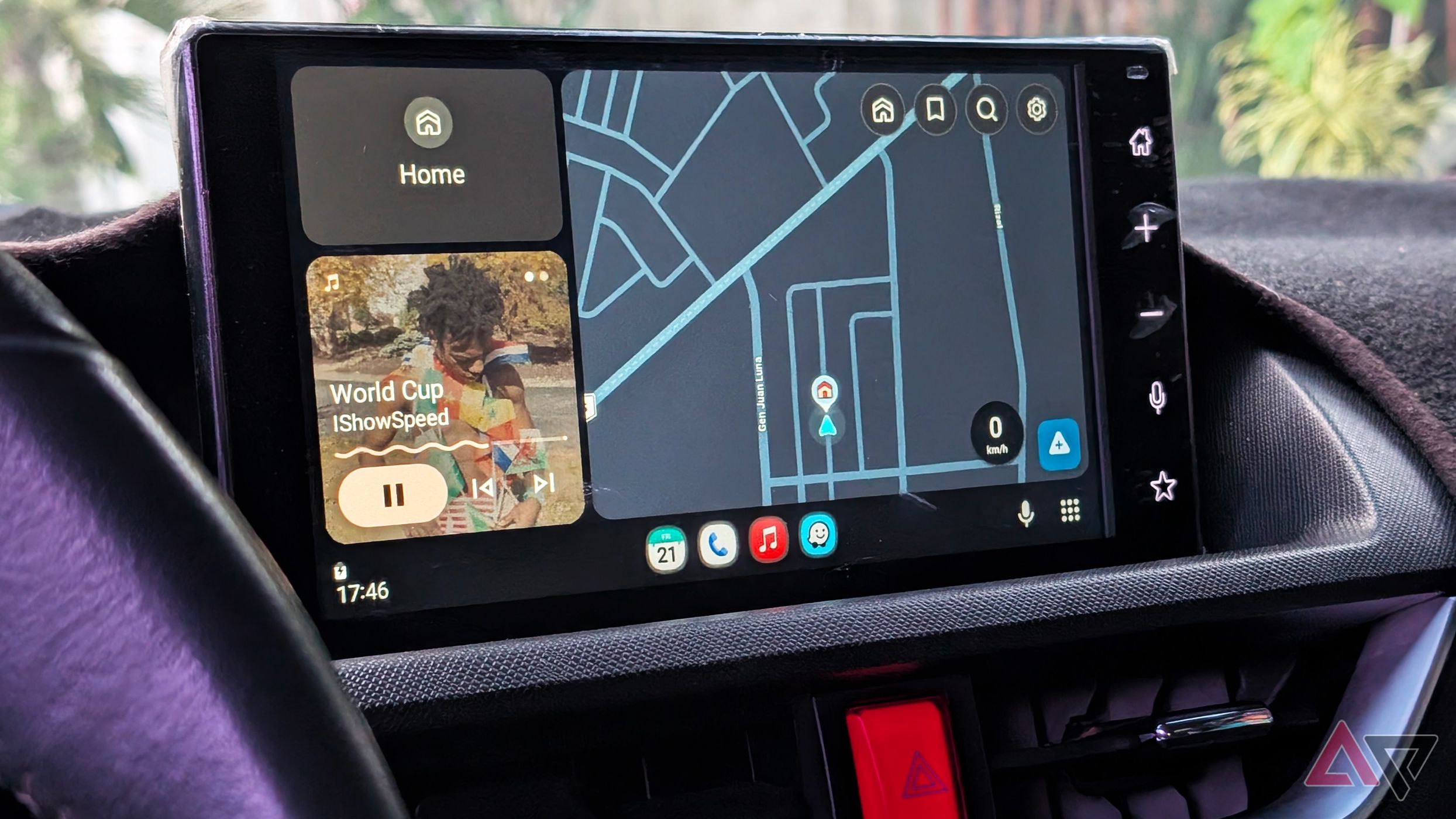
If you recently plugged your phone into your car dashboard, fired up Android Auto, and noticed something felt a little... naked, you aren't losing your mind. Drivers across the globe are taking to online forums like Reddit to report a frustrating disappearance: the live Google Maps speedometer and local stop sign indicators have suddenly vanished from their car displays.
For millions of commuters, road-trippers, and daily drivers, this isn't just a minor cosmetic glitch. It’s the loss of a crucial, glanceable safety feature that helps keep us on the right side of the law. So, what happened to the Google Maps speedometer on Android Auto, and more importantly, is it coming back?
The Mystery of the Missing Speedometer
It started like most tech grievances do: quietly, with a few isolated complaints on the r/AndroidAuto subreddit before snowballing into a massive thread of frustrated drivers. Users reported that while navigating via Android Auto, the familiar speed readout—which displays your current vehicle speed right alongside the posted speed limit—had completely evaporated from the bottom corner of the interface.
Even worse? The feature loss isn't isolated to just the speedometer. Many drivers are noting that supplementary driving cues, such as stop sign and traffic light indicators, are also going AWOL.
To make matters more baffling, the bug appears highly inconsistent. Some users report the feature working fine on their phone's standalone Google Maps app, only to vanish the moment the device connects to the car's head unit. Others find that it flickers on for a few minutes before disappearing entirely mid-drive. This kind of inconsistency is the hallmark of a server-side tweak gone wrong or a buggy app rollout.
Why the Speedometer Matters More Than You Think
Why are people so upset about a few missing numbers? Critics might argue, "Just look at your car’s dashboard speedometer!" But tech-savvy drivers know that digital mapping speedometers offer unique advantages:
- Better Accuracy: Factory car speedometers are often calibrated conservatively or thrown off by tire wear and aftermarket wheel sizes. GPS-based speedometers calculate your true ground speed.
- Glanceability: Having your speed and the speed limit displayed directly inside your field of view on the navigation screen prevents you from having to constantly dart your eyes down to the physical instrument cluster.
- Immediate Accountability: Speed limit indicators change dynamically as you cross zones, acting as a gentle, real-time reminder to ease off the gas pedal.
Losing these features doesn't just make driving slightly less convenient—it removes a layer of situational awareness that many drivers have come to rely on daily.
Is This a Bug or an Intentional Google Update?
As of now, Google has not issued an official statement explaining the sudden disappearance. However, tech historians and frequent Android Auto users know that Google loves to A/B test UI changes.
Sometimes, features are pulled temporarily during backend updates or phased rollouts of new design languages. Alternatively, this could be an unintended regression—a classic coding bug where an update meant to fix one thing accidentally breaks another. Given that stop sign icons are disappearing alongside the speedometer, it points heavily toward a broader rendering bug within the Google Maps for Android Auto framework rather than a deliberate, permanent removal.
How to Get Your Speedometer Back (Potential Fixes)
If you are suffering from the missing speedometer blues and want to try forcing the feature back onto your dashboard, here are a few troubleshooting steps you can try:
- Check Your Phone's Google Maps Settings: Open Google Maps on your phone (disconnected from the car), go to Settings > Navigation settings, and ensure that the toggle for Speedometer is explicitly turned on.
- Clear App Cache: Head to your phone's system settings, find Google Maps, clear the cache, and restart your phone.
- Update Everything: Make sure both the Google Maps app and the Android Auto app are updated to their absolute latest versions via the Google Play Store. Sometimes, hotfixes are deployed rapidly to squash newly discovered bugs.
- Roll Back Android Auto (Advanced): If you are desperate, some tech-savvy users on Reddit have experimented with sideloading slightly older, stable APK versions of Android Auto, though we generally advise waiting for an official patch to avoid security risks.
Looking Forward: What Drivers Want Next
This latest hiccup highlights the delicate relationship we have with connected car software. While infotainment systems like Android Auto and Apple CarPlay make our vehicles smarter, safer, and infinitely more entertaining, they also introduce software volatility. A physical speedometer never updates overnight and breaks.
For now, drivers experiencing the bug will simply have to rely on their traditional dashboard gauges and keep an eye out for a future app update. Have you noticed the speedometer missing on your Android Auto setup? Let us know your device model, car make, and whether your display has been affected in the comments below!


No comments:
Post a Comment