
Google Maps Is Not Just for Roads: How to Find Your Way Inside Buildings
Do you use Google Maps every day? Most of us do. We open the app to find a new coffee shop, check the traffic on our way to work, or follow turn-by-turn directions when we drive. It is a great tool for the road.
But did you know that Google Maps can do much more? Recently, I found a hidden trick. Google Maps does not just work outside. It can also help you find your way when you are inside a big building.
Think about the last time you went to a huge shopping mall, a busy train station, or a massive airport. Did you feel lost? Did you walk around in circles trying to find a specific store or the right bathroom? I know I have. But now, I use indoor maps on my Android phone, and it saves me so much time.
Let me show you how it works and how you can use it too.
What Is Indoor Google Maps?
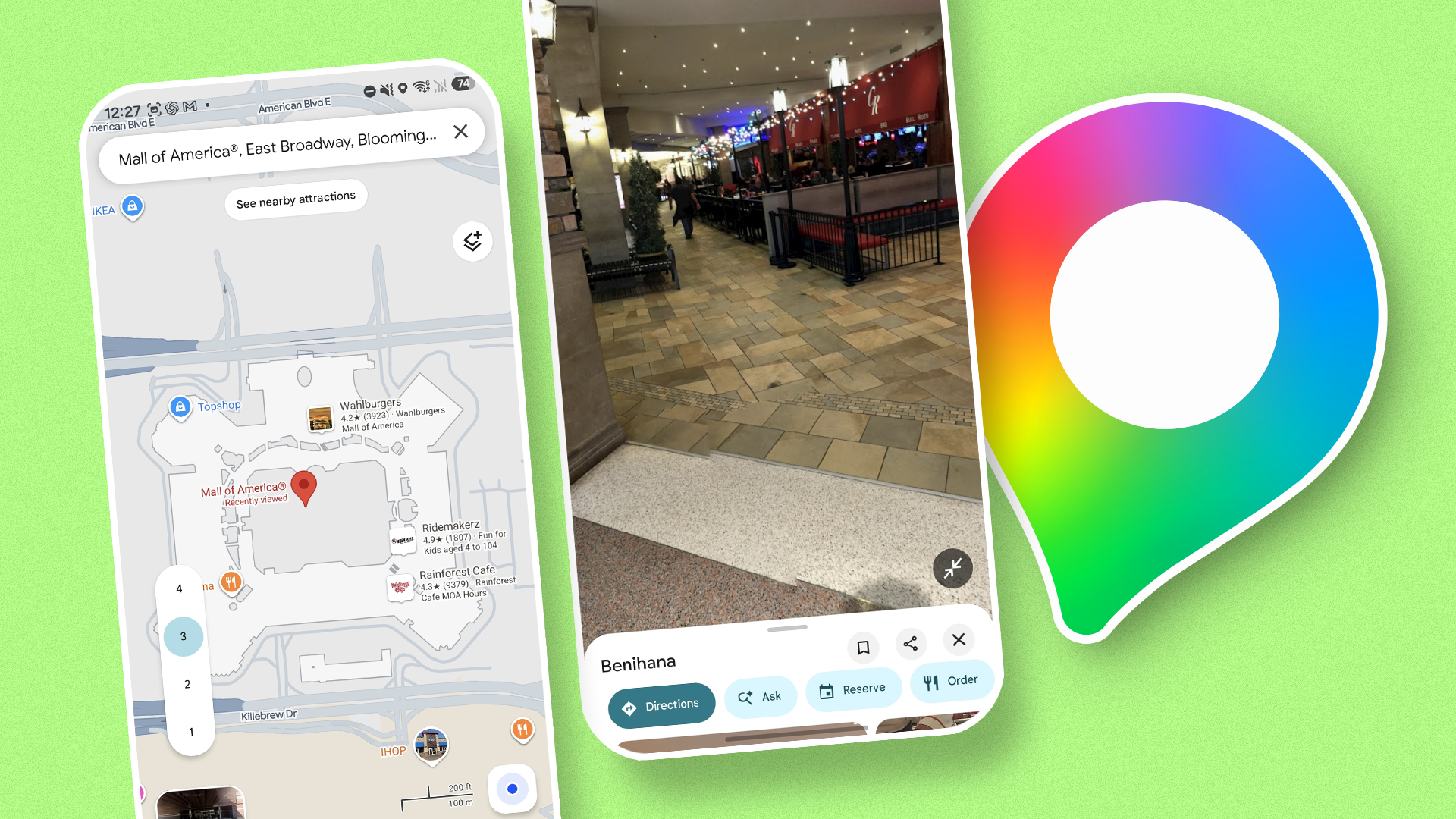
Indoor Google Maps is a special feature inside the regular Google Maps app. When you walk into certain large buildings, the app changes. Instead of showing you streets and cars, it shows you a floor plan of the building.
You can see:
- Where the stores are located.
- Which floor you are on.
- Where the elevators and stairs are.
- Where the restrooms and food courts are.
It is like having a mall directory right in your pocket. You do not have to stop and look for those big touch-screen maps on the wall anymore.
How to Use Indoor Maps on Your Android Phone
Using this feature is very easy. You do not need to download a new app. You just need the Google Maps app that is already on your Android phone.
Follow these simple steps:
- Open Google Maps on your phone.
- Type the name of a place that has indoor maps (like a big airport or a popular shopping mall) into the search bar.
- Zoom in very close on the map using your fingers.
- Look at the screen. As you zoom in past street level, the view will change to show the inside of the building.
- Check the side of your screen. You will see a small floor number button (like 1, 2, or G). You can tap these buttons to look at different floors.
- Large shopping malls and department stores.
- Major airports around the world.
- Big train and subway stations.
- Some large museums and stadiums.
- No more guessing: I can walk straight to the store I want without asking for help.
- Find shortcuts: The map shows me the nearest elevators and stairs quickly.
- Save time: I do not waste ten minutes walking in the wrong direction.
That is it! Now you can look at the map and see where you need to go, even with a roof over your head.
Where Does This Feature Work?
Before you get too excited, there is one important thing to know. Google Maps does not have indoor maps for every building in the world yet. That would be too big of a job!
Right now, indoor maps work best in very busy public places. You can usually find them in:
If you are in a small local grocery store, you probably will not see an indoor map. But if you are lost in a massive airport terminal trying to catch a connecting flight, there is a very good chance Google Maps can help you.
Why I Love Using This Feature
I am terrible with directions. When I go to a new place, I get stressed easily. Finding out that Google Maps works indoors changed my life a little bit.
Here is why I use it all the time now:
Next time you visit a big shopping center or a busy airport, pull out your Android phone. Open Google Maps, zoom in, and see what is around you. You might be surprised by how much detail you can see.
Do you use Google Maps for indoor navigation? Let me know your favorite tips in the comments below, and happy exploring!


No comments:
Post a Comment