
Hey there, fellow Android fans! Have you ever traveled to another country and struggled to read street signs or talk to locals because you had no internet? I sure have. It is a stressful feeling when your phone cannot find a signal, and you need help right away.
Well, I have some great news for you today. Google is making travel much easier. The awesome Live Translate feature on Google Pixel phones now works offline! Yes, you heard that right. You do not need a Wi-Fi connection or mobile data to use it anymore. Let us dive in and see how this works and why you will love it.
What is Google Live Translate?
If you are new to Pixel phones, let me explain what Live Translate does. It is a built-in tool on Google Pixel devices. It translates text and speech right on your screen.
For example, if you get a text message in Spanish, Live Translate changes it to English automatically. You do not need to copy the text, open a separate app, and paste it. The phone does all the hard work for you in seconds.
Before now, this feature needed a steady internet connection to work best. If you lost your signal on a train or in a remote town, the translation stopped working. That was a big problem for travelers.
How Offline Live Translate Changes Everything
Google fixed this issue in a recent update. Now, select Pixel phones can run Live Translate without the internet. Your phone uses its own smart chip to translate things locally.
Here is why this is a huge deal for you:
- No roaming fees: You do not need to buy expensive data plans when you land in a new country.
- Works everywhere: Even if you are deep in the mountains or on a subway underground, your translations still work.
- Better privacy: Because the phone does the work offline, your private messages stay on your device.
Which Phones Get This Feature?
Right now, this offline feature is rolling out to newer Google Pixel phones. If you have a Pixel 6, Pixel 7, Pixel 8, or the brand-new Pixel 9 series, you are likely in luck! Google uses its custom Tensor chips to make this offline magic happen. Older phones might not get this update because they lack the necessary hardware power.
To check if your phone has it, make sure your system and apps are fully updated to the latest version.
How to Set Up Offline Translate on Your Pixel
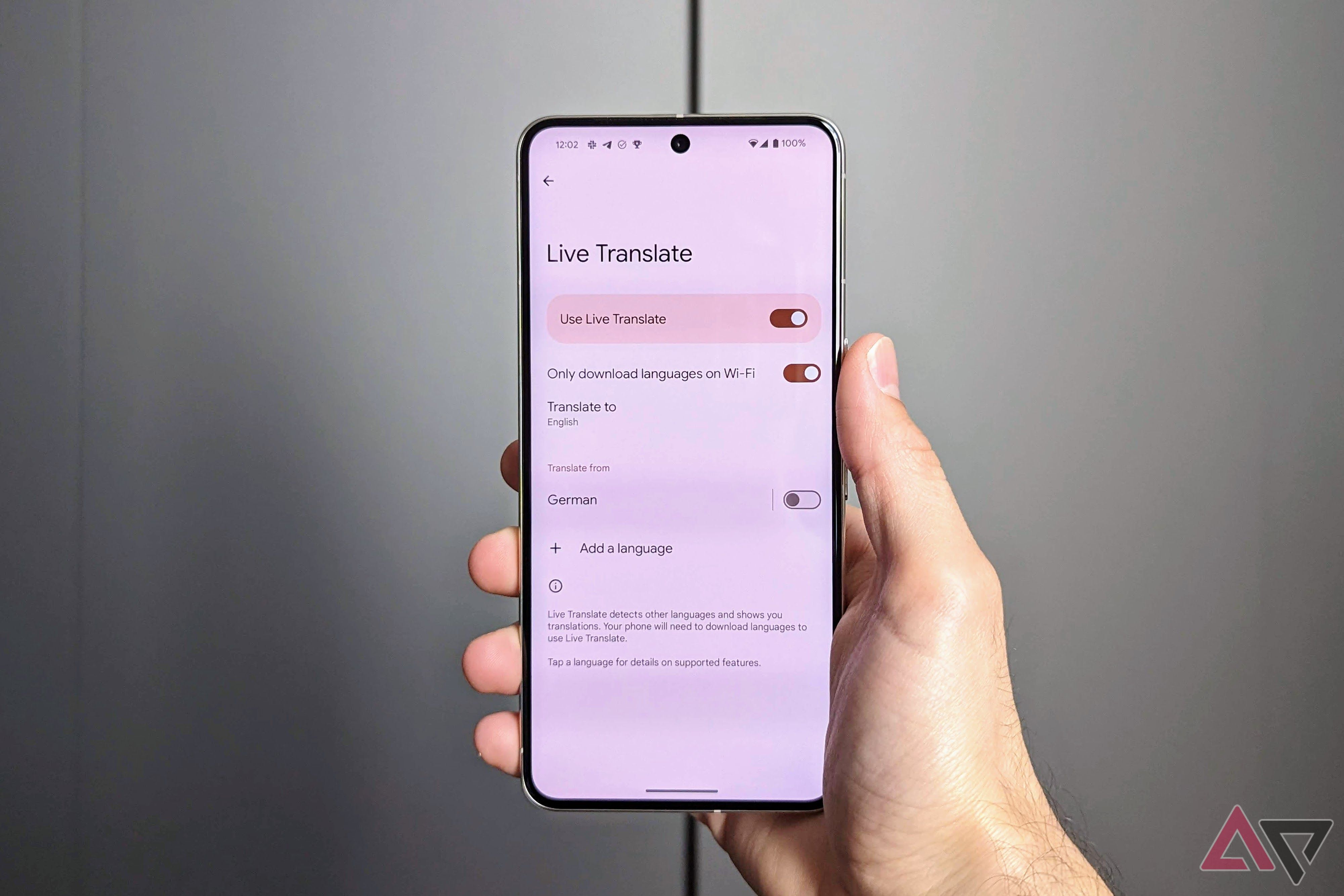
Getting ready for a trip is very simple. You just need to download the language packs before you leave home while you still have good Wi-Fi. Here is what you need to do:
- Open the Settings app on your Pixel phone.
- Scroll down and tap on System.
- Tap on Live Translate and make sure the feature is turned on.
- Go to the Google Translate app and download the language packs you need for your trip.
That is it! Once the language pack is on your phone, you are ready to travel the world without worrying about a weak signal.
Final Thoughts
Smartphone features get better every single year, but offline Live Translate is one of my favorites. It solves a real problem for everyday people. Whether you travel a lot for work, take yearly vacations, or just love learning new languages, this update makes your Pixel phone much more useful.
What do you think about this new offline feature? Will you use it on your next trip? Let me know in the comments below, and stay tuned here for more fun Android tips and tricks!


No comments:
Post a Comment