
Cloudflare's Android App Is the Simplest Solution to My Biggest Connectivity Problems
We have all been there. You are browsing the web on your mobile device, eager to read an article, check an order status, or load a favorite dashboard, and suddenly—bam. A 404 error stares back at you. Or worse, an endless loading spinner that eventually results in a dreaded "Site can't be reached" notification. If it is a site you visit frequently, a wave of frustration sets in. Is your internet down? Is the server completely dead? Or, as is so often the case on mobile networks, is it a stubborn DNS (Domain Name System) resolution issue?
Troubleshooting network errors on Android has historically been a chore. Digging through developer settings, changing static IP configurations, or installing bloated third-party VPNs just to fix a routing glitch is hardly user-friendly. That is, until I rediscovered the ultimate, elegant fix hiding in plain sight: Cloudflare’s Android app, powered by their consumer DNS service, 1.1.1.1.
In this post, we are going to dive deep into why mobile connectivity can be so fragile, how DNS plays a massive role in your everyday browsing experience, and why Cloudflare’s unassuming mobile app has become a permanent fixture on my Android home screen.
The Hidden Friction of Mobile Web Browsing
Mobile browsing is supposed to be instantaneous. We pay carriers top-dollar for 5G speeds, and modern smartphones pack enough processing power to rival desktop computers from a decade ago. Yet, internet connectivity on the go often feels surprisingly brittle.
When you type a URL into your mobile browser or click a link, your phone doesn't automatically know where that website lives. It has to ask a translator—the DNS resolver—to convert a human-readable domain name (like example.com) into a machine-readable IP address (like 192.0.2.1).
By default, your mobile carrier or home Wi-Fi provider assigns you their own DNS servers. Unfortunately, these default DNS servers are often:
- Sluggish: Adding unnecessary milliseconds (or seconds) to every initial page load.
- Unreliable: Prone to outages or routing hiccups that result in false 404 errors or failed connections.
- Less Private: Capable of logging your browsing history and selling your data or using it for targeted advertising.
When a website that "normally works" suddenly throws a 404 or connection timeout, it is frequently because your ISP's DNS server is failing to update its cache, misrouting your traffic, or experiencing a localized outage. Fixing this usually meant jumping through technical hoops—until Cloudflare streamlined the entire process.
Enter Cloudflare 1.1.1.1: More Than Just a Fast Number
Cloudflare is a giant in the global web infrastructure space, protecting and accelerating millions of websites worldwide. A few years ago, they launched 1.1.1.1, touted as the Internet's fastest, privacy-first public DNS resolver.
While tech enthusiasts quickly figured out how to manually configure 1.1.1.1 on their routers and operating systems, average users found the configuration process too daunting. Recognizing this, Cloudflare released a dedicated mobile application for iOS and Android.
The app essentially wraps Cloudflare’s enterprise-grade DNS technology into a simple, one-tap switch. But it doesn't stop there—it also integrates WARP, a custom protocol designed to encrypt all your mobile traffic without slowing your phone down like a traditional, heavyweight VPN.
Why the Cloudflare Android App is a Game-Changer
If you are wondering why you need a dedicated app just to change your DNS settings, here is how the Cloudflare app transforms your daily mobile internet experience:
1. One-Tap Simplicity
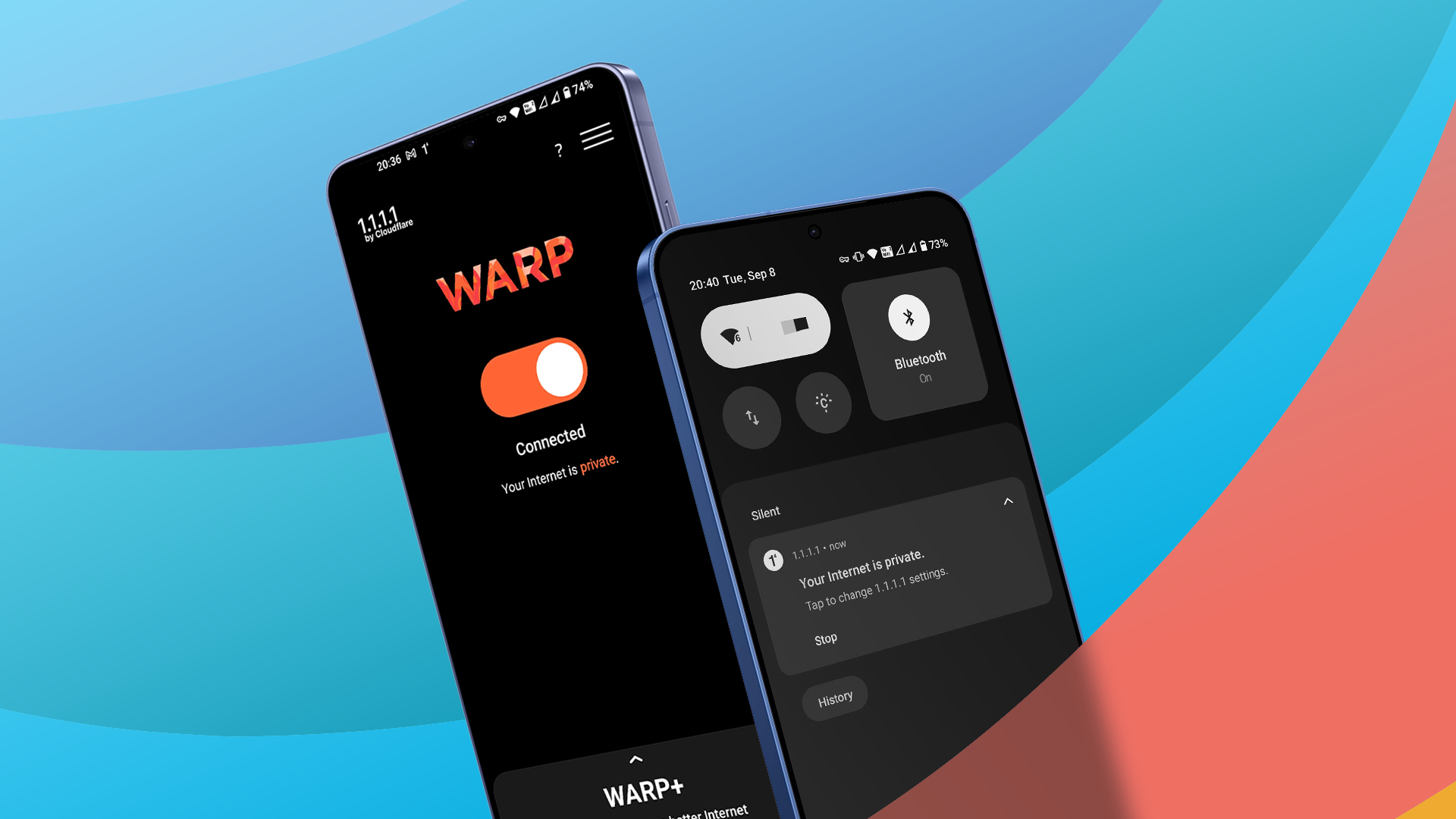
You don't need a degree in networking to use it. Download the app from the Google Play Store, open it, and tap the massive toggle switch. Instantly, your Android device routes all its DNS queries through Cloudflare’s blazing-fast network instead of your carrier's default servers.
2. Bypassing Stubborn Routing Errors and False 404s
This is the killer feature for me. When a site refuses to load and throws up a mysterious error despite your Wi-Fi or 5G bars showing maximum strength, turning on the Cloudflare app often resolves the issue instantly. By leveraging Cloudflare's optimized global Anycast network, your device finds the fastest, most direct path to the destination server, effectively bypassing congested or misconfigured ISP routing paths.
3. Uncompromising Privacy
Internet service providers love to track what websites you visit. Cloudflare built 1.1.1.1 with privacy baked into its core foundation. They promise never to sell your browsing data or use it to target ads. Furthermore, they regularly undergo independent audits to prove that user IP addresses are not written to disk.
4. WARP Technology: VPN Without the Lag
Traditional Virtual Private Networks (VPNs) route your traffic through distant servers, heavily encrypting everything, which often results in frustratingly slow connection speeds and broken captive portals (like hotel or coffee shop Wi-Fi logins). Cloudflare’s built-in WARP feature optimizes the connection, encrypting your data while maintaining the speed you expect from a modern mobile network.
How to Set It Up on Android in Under a Minute
Getting started with the Cloudflare Android app takes virtually no effort. Follow these simple steps:
- Open the Google Play Store on your Android device.
- Search for "1.1.1.1: Faster & Safer Internet" developed by Cloudflare, Inc.
- Tap Install and wait for the download to complete.
- Open the app, read through the brief introductory prompt, and accept the terms.
- Tap the central toggle switch. Your Android device may ask for permission to set up a connection profile (this is normal, as it securely routes your DNS requests locally).
- Enjoy a faster, more reliable, and private web browsing experience!
Once activated, the app runs quietly in the background. You can check your notification shade at any time to see if it's active, and you can easily pause it if you ever encounter an app that strictly requires your default local network settings.
Final Thoughts: A Must-Have Utility for Every Android User
In an ideal world, our mobile carriers and internet service providers would deliver flawless DNS resolution and zero routing errors. But until that utopian future arrives, connectivity hiccups, sluggish page loads, and phantom 404 errors will remain an annoying part of daily digital life.
Instead of letting network gremlins ruin your browsing session, keeping the Cloudflare Android app in your toolkit provides an instant, effortless antidote. It is lightweight, respects your privacy, and—most importantly—solves my biggest mobile connectivity problems with just a single tap. If you haven't tried it yet, head over to the Play Store and give your phone the network upgrade it truly deserves.


No comments:
Post a Comment